Scale-to-Software Connection
Your scale’s weight,
straight into your software.
No retyping. Installed in one visit. For plants, recyclers and warehouses where someone reads the scale display and types the number into another system, or where the software can’t read the scale at all.
Does this sound familiar?
The weight is already there.
It just isn’t getting through.
If any of these happen at your scale, a connection fixes it, usually without a new scale.
01
Fills or shutdowns run on a timer when actual weight would be more accurate.
02
Operators read the display and type the same weight into another system.
03
Timing drift causes overfill, underfill or rework.
04
Managers can’t see tank levels or production totals from one place.
05
Labels or records depend on systems that don’t share weight data.
06
New equipment needs a live weight signal.
07
Your software only accepts one specific port or scale model.
08
New software can’t read your old indicator.
What you get
Scale-to-Software Connection
Six steps, one visit to install.
Everything it takes to connect your scale to your computer and software, for one fixed price.
01
Free site check.
We look at your scale, your indicator and the software that needs the weight, during your next calibration visit or on its own.
02
A fixed-price quote.
No hourly surprises.
03
The connection.
We connect the indicator you already have, any brand and any age, to your PC program, spreadsheet, ERP, ticketing or yard software, or PLC. We use your software vendor’s tools when they fit, and our own interface when they don’t.
04
Tested on your line.
We run test weighings with you and confirm every one lands in your system matching the indicator.
05
A connection sheet left on site.
With every setting, so anyone can see how it’s set up.
06
90 days of free support.
If something needs adjusting, we adjust it.
Any brand and any age means indicators with a serial or current-loop data output.
Price
Fixed price, quoted after a free site check.
How we connect
Every way in.
Pick the one that fits your setup.
From an older indicator on a PC to ticketing software, a PLC or a custom build.
RS-232 scales & indicators
Connect older indicators and balances
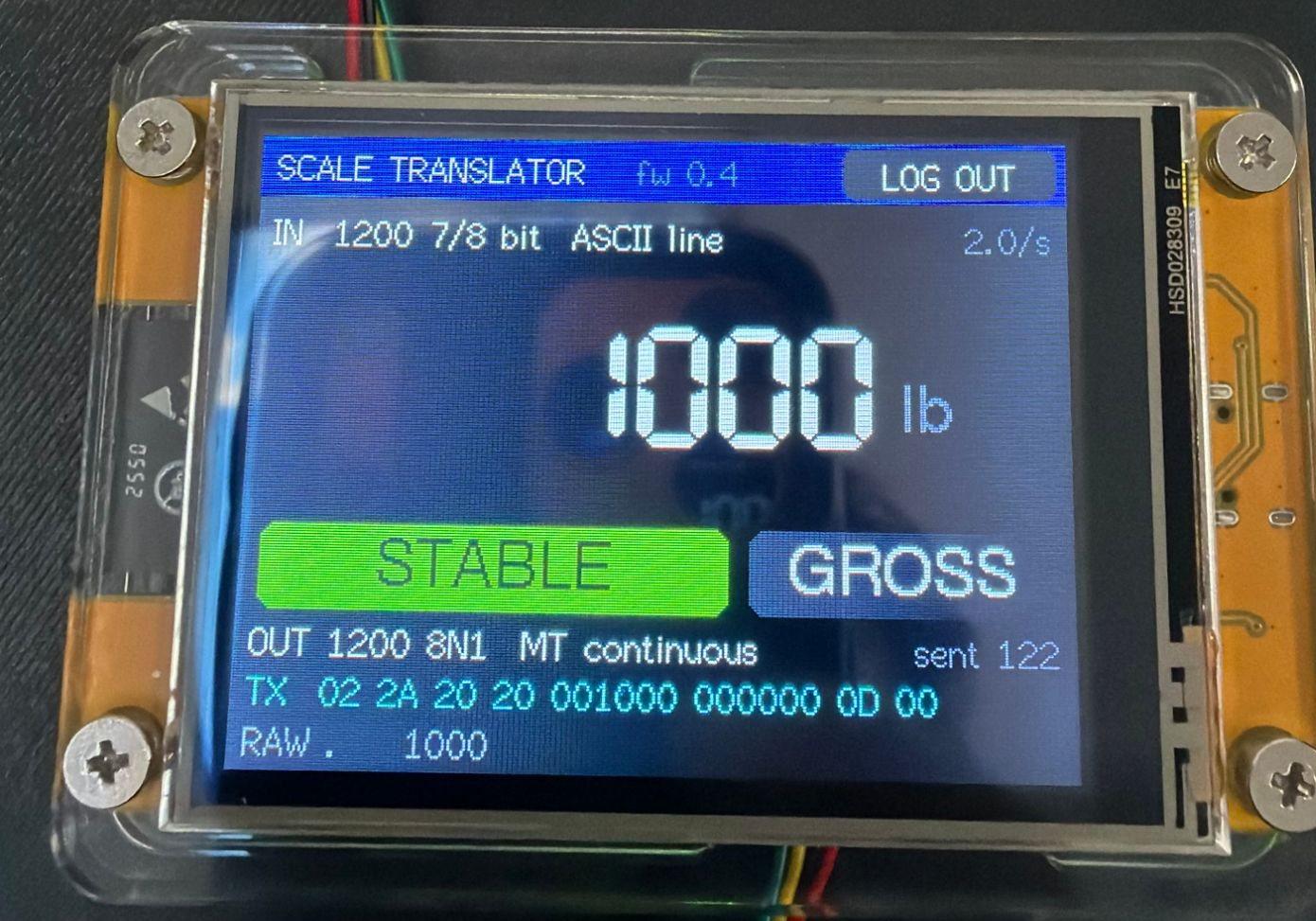
Any brand and age of indicator, over RS-232, RS-485 or 20 mA, delivered as your software expects.
Stop retyping
Weight into Excel, ERP & production software
Weights land in spreadsheets and ERP systems automatically.
Truck scale ticketing software
Weight into ticketing and yard software
Every ticket gets the weight automatically, in the truck-scale or yard software you already run.
Controls & automation
Weight data to your PLC
Live weight, status, zero and tare in your PLC’s registers or tags.
Remote scale monitoring
Scale Watch monitoring
An alert when a scale stops sending weights, plus online status and weight history.
When standard connections don’t fit
Custom projects
Custom scale-data databases and custom interface hardware, for jobs a standard connection can’t handle.
Why MS Weights
A local scale tech.
And the engineer who builds the hardware.
A connection only works if the scale under it is right. We handle both, from Bakersfield.
- No more retyping weights from the display
- Fewer typing errors and missing records
- Fills and batches that run on actual weight
- Totals and history in one place
Local and fast
A scale technician and the engineer who built the hardware, not a regional office.
Retrofit-first
We keep the scale and indicator you already have whenever we can.
Odd connections handled
Serial, current loop and USB-only software included.
One company
Calibration, repair and integration, so the scale side stays accurate after install.
A few things to know
Good questions.
Clear answers.
Need to talk through your application?
Talk with our teamDo we have to replace our scales?
Usually not. Most indicators already have a data output we can use.
What if it doesn’t work?
We test it with you before we leave.
Can you connect our shipping scale to our shipping software?
Usually, yes. That’s a Scale-to-Software Connection: we look at the scale and your shipping software at a free site check, then connect them so the weight fills in on its own.
Does connecting a scale change its calibration?
No. If the scale is used for legal-for-trade weighing, tell us so the certified setup stays intact.
Which PLCs do you work with?
Any PLC that speaks Modbus RTU, Modbus TCP or EtherNet/IP, which covers most plants.
What do you need from us to quote?
Your scale or indicator model, what system needs the weight, and what should happen with it.
Free site check
Book a free site check.
We’ll look at your scale and your software.
- Your scale or indicator make and model
- What system needs the weight
- What should happen with it